
Practical examples
Study a Bible passage privately: reading, questions, and notes
Bible AI combines offline Scripture reading and study tools with on-device questions where the required AI features are available. Start with the passage itself and check every AI explanation against the cited verses and their surrounding context.
Read and revisit a passage
Open a passage, read the surrounding chapter, and mark verses you want to return to. Save notes in your own words to distinguish your observations from the text. Use search when you remember a phrase but not its location, and compare the result with the context around it.
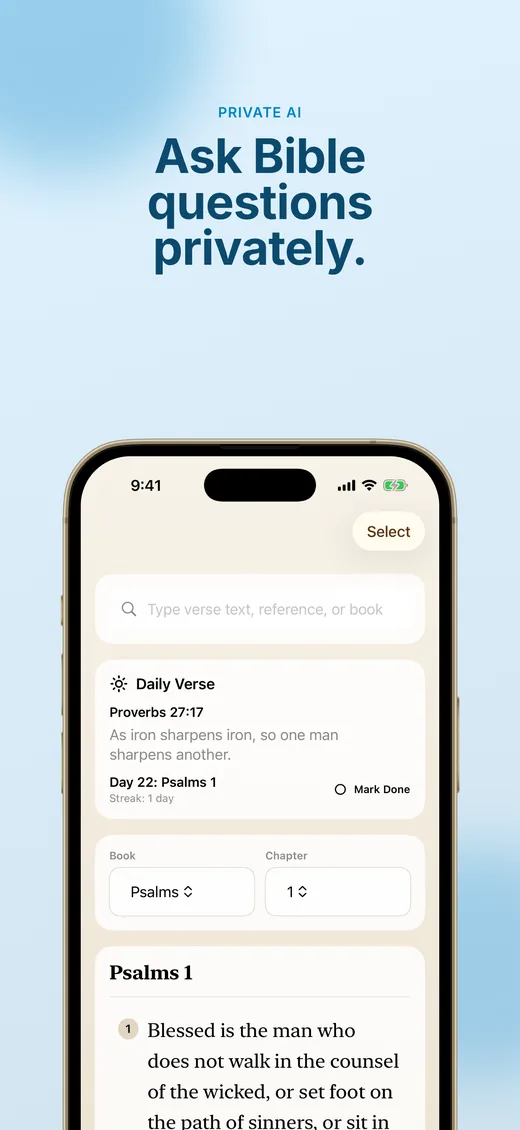
Ask a focused question about Scripture
On a compatible device with on-device AI available, ask a question tied to a passage. Read the verses referenced in the answer instead of relying on the explanation alone. If a reference is missing or the answer seems inconsistent with the text, return to direct reading and consult a trusted study resource or teacher.
Keep a manageable study routine
Choose a reading plan or a small section to revisit. Use notes, highlights, and bookmarks to record questions as you go. Review earlier notes alongside the passage to see how your understanding develops. Keep personal reflections on your device unless you intentionally share them.
Access and device requirements
Free download with weekly and yearly Bible AI Pro subscriptions; localized prices appear in the app.
iPhone and iPad; requires iOS or iPadOS 26.2 or later and compatible on-device AI
View on the App Store Scan with your iPhone